One of the most common questions WordPress site owners ask after setting up a CRM is surprisingly simple:
“How do I connect WordPress to my CRM?”
At first glance, the answer seems straightforward. Most CRM platforms already provide WordPress plugins or API integrations. You install the plugin, connect an API key, and start syncing contacts.
Technically, that works.
The problem is that many WordPress sites eventually discover that simply “connecting” the CRM is not the same thing as building a useful customer workflow.
A contact may appear successfully in HubSpot, Mailchimp, Brevo, Klaviyo, or ActiveCampaign, while the actual customer data remains incomplete, outdated, or disconnected from what is happening on the website.
That distinction becomes especially important once your site starts handling:
- WooCommerce orders
- membership subscriptions
- lead forms
- online courses
- recurring payments
- customer onboarding
- account upgrades
- subscription cancellations
At that point, the CRM needs more than a one-time connection. It needs ongoing visibility into customer activity happening inside WordPress.
That is where workflow-based CRM integrations become much more useful.
Why Most Basic CRM Integrations Eventually Feel Limited
Many CRM integrations for WordPress are built around a single action.
For example:
“When a user registers, add them to Mailchimp.”
That setup is fine for a simple newsletter website. But modern WordPress sites rarely stay that simple for long.
A customer who originally joins your mailing list may later:
- Purchase a WooCommerce product
- Subscribe to a membership plan
- Cancel their subscription
- Upgrade their account
- Join another email segment
- Complete a course
- Become a repeat customer
If your CRM only knows about the original registration event, automation quality starts degrading very quickly.
This is why many businesses eventually run into problems like:
- Expired members are still receiving onboarding emails
- Customers are being added to the wrong campaigns
- Duplicate contacts inside the CRM
- Disconnected customer segments
- Staff exporting CSV files manually every week
The issue is usually not the CRM itself. The problem is that WordPress and the CRM are not staying synchronized as customer activity changes.
What You Actually Want From a WordPress CRM Integration
A good CRM integration should continuously react to customer activity happening on your website.
For example:
- When a customer purchases a product, the CRM should know.
- When a membership expires, the CRM should update automatically.
- When a user changes plans, segmentation should adjust immediately.
- When somebody submits a lead form, the sales pipeline should reflect it.
In other words, the CRM should evolve alongside the customer journey rather than remain a static contact database.
This is exactly the type of workflow FlowSync was built to handle.
Connecting WordPress to Your CRM Using FlowSync
FlowSync is a workflow automation plugin designed specifically for syncing WordPress activity with CRM and email marketing platforms.
Instead of treating CRM syncing as a simple one-time connection, FlowSync allows you to build workflows around actual customer behavior happening inside WordPress.
The process itself is relatively straightforward.
After installing the plugin, you create a workflow by choosing:
- A trigger
- Optional conditions
- An action
For example:
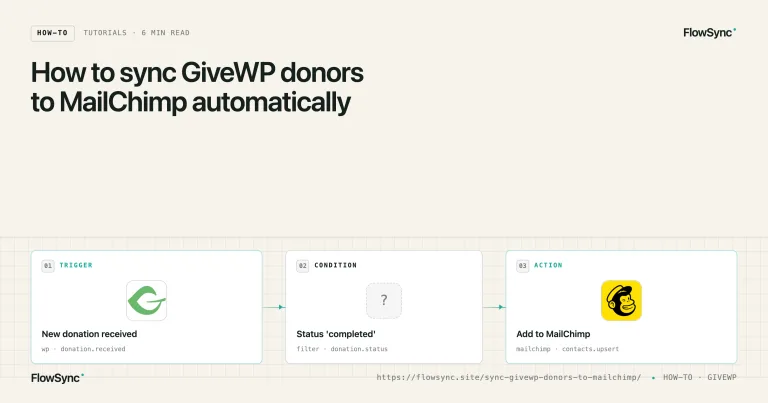
- Trigger: User purchases a membership plan
- Condition: Membership plan equals “Gold.”
- Action: Add user to a Brevo list
Or:
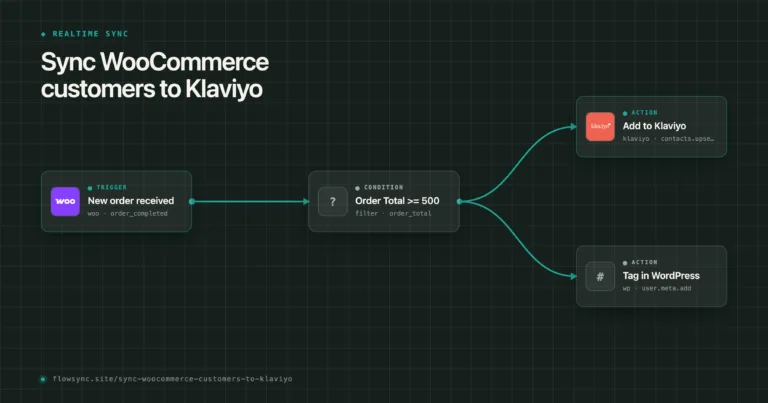
- Trigger: WooCommerce order completed
- Condition: Order total greater than $100
- Action: Add customer to VIP CRM segment
That workflow approach gives you much more control over how customer data moves between WordPress and your CRM.
Supported CRM and Email Marketing Platforms
FlowSync is designed around CRM and email workflow automation rather than trying to become a general-purpose automation platform.
Depending on your setup, you can connect WordPress to platforms such as:
- Mailchimp
- Brevo
- HubSpot
- Klaviyo
- ActiveCampaign
- FluentCRM
- Zoho CRM
- MailerLite
- Beehiiv
- ConvertKit
The advantage is that workflows remain connected to actual WordPress events instead of relying entirely on isolated form submissions.
A Real Example: Membership Site CRM Automation
Consider a membership website using MemberPress.
Without automation, the site owner might manually export users into their CRM every few days to update segments and campaigns.
That works temporarily, but it becomes difficult to maintain as memberships change constantly.
With FlowSync, the workflow can react automatically whenever:
- A subscription activates
- a plan changes
- a renewal succeeds
- a subscription expires
- A customer cancels
The CRM stays automatically synchronized because changes to customer state are continuously reflected in the workflow.
This becomes especially valuable for onboarding campaigns and membership retention sequences where timing matters.
WooCommerce CRM Automation Works Better With Customer Context
WooCommerce stores often face a different issue.
The CRM integration technically works, but the CRM receives very little useful customer information beyond an email address.
That makes personalization difficult.
FlowSync enables workflows to respond to WooCommerce activity more intelligently by incorporating customer behavior into the automation process.
For example:
- tagging repeat customers
- segmenting high-value buyers
- syncing product-specific customers
- triggering post-purchase campaigns
- separating wholesale customers from retail buyers
This creates a much more useful CRM setup than simply dumping all WooCommerce customers into the same mailing list.
Why Workflow Visibility Matters
One underrated part of CRM automation is troubleshooting.
As websites become more complex, visibility becomes important.
Eventually, somebody asks questions like:
- Why did this customer receive the wrong email?
- Why was this contact not added to the CRM?
- Why did this onboarding sequence fail?
Without workflow visibility, those issues become difficult to trace.
This is one reason workflow-based automation systems are becoming increasingly important on WordPress sites. They make customer movement easier to understand because the automation itself becomes visible and structured.
Instead of guessing what happened behind the scenes, site owners can follow the workflow logic directly.
Final Thoughts
Connecting WordPress to a CRM is relatively easy. Keeping customer data synchronized properly as your business grows is the harder part.
That distinction becomes more obvious once your website starts handling memberships, ecommerce orders, recurring subscriptions, customer onboarding, and multiple marketing campaigns simultaneously.
For many growing WordPress sites, the real challenge is no longer establishing the CRM connection itself. The challenge is ensuring the CRM continues to reflect what is actually happening on the website in real time.
That is where workflow-driven integrations like FlowSync become much more useful than basic “connect and sync” plugins. Instead of simply sending contacts into a CRM once, the workflow continues reacting as customer activity changes over time.
And for most businesses, that ongoing synchronization is what ultimately makes CRM automation valuable.

FlowSync
FlowSync syncs members, customers, and form leads to Brevo, Mailchimp, HubSpot, Klaviyo, and more based on activity happening on your WordPress site.